How to Connect Acuity Scheduling with Mailchimp Marketing (With or Without an AI Agent)
Connect Acuity Scheduling to Mailchimp Marketing so every new booking automatically adds or updates the subscriber, applies the right tag, and enrolls them in the right email journey, optionally as an AI agent that pauses for a human before sending to large lists.
How do you connect Acuity Scheduling to Mailchimp Marketing?
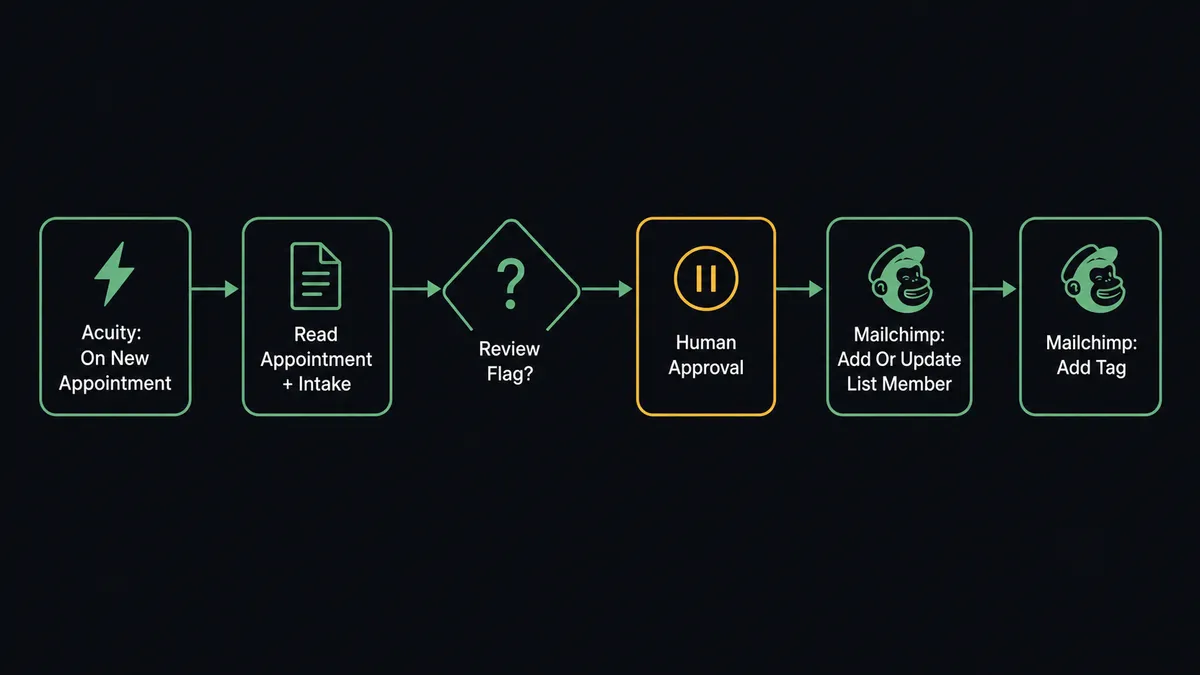
When a client books through Acuity, FlowRunner fires On New Appointment, reads the appointment type and intake form answers, calls Add Or Update List Member to sync the client to the correct Mailchimp audience, and applies the booking-type tag using Add Tag. FlowRunner is a visual AI-agent orchestration platform where automations run autonomously and pause for human judgment on the steps that carry real consequence. That same connection can run as an AI agent that decides which email sequence fits this particular booking, flags intake answers that need review before confirmation, and pauses for a human before sending any campaign to a large list.
The problem it solves
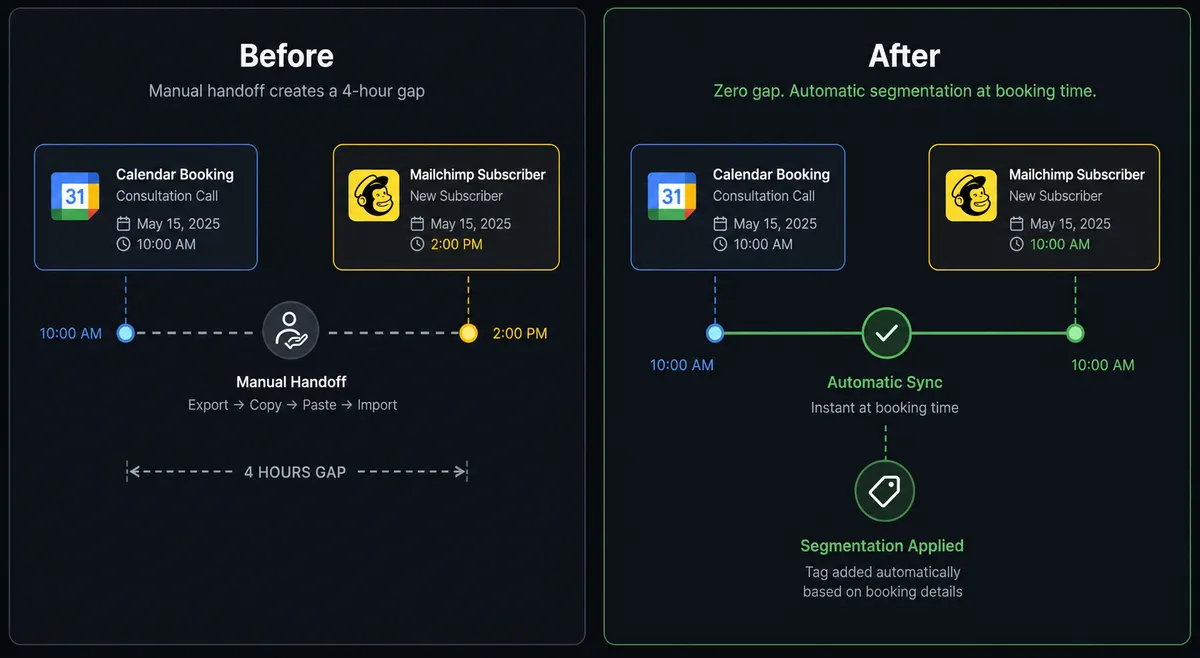
Right now, someone on your team is manually exporting new Acuity clients and importing them into Mailchimp. It happens after hours of appointments have already been booked, which means every new client sits in a gap between booking and the first marketing touchpoint. The intake form answers that would tell you exactly which email sequence this person belongs in are sitting in Acuity, unread by Mailchimp. The result is that your most engaged moment with a new client, the minutes right after they book, produces no automated follow-up.
The second problem is segmentation drift. Clients who booked a consultation get the same welcome sequence as clients who booked a follow-up treatment, because the tagging never happens consistently. Manual processes mean whoever is doing the import decides the tag, and that decision is applied at different times, in different ways, by different people. Your Mailchimp audience reflects the state of whoever last had time to do the import, not the actual state of your Acuity calendar.
How it works: the connection
FlowRunner watches Acuity using the On New Appointment trigger, which polls the API and fires the moment a new booking is confirmed. The agent reads three things immediately: the appointment type, which tells it what service was booked and which email journey is appropriate; the calendar, which tells it which staff member is assigned; and the intake form answers, which carry any context the client provided at booking.
The agent then calls Add Or Update List Member in Mailchimp. This action is idempotent: it checks whether a subscriber already exists by email and updates the record if found, or creates a new subscriber if not. No duplicates, no manual deduplication. The client email, name, and any additional fields from the Acuity payload map directly into the Mailchimp subscriber profile.
After the subscriber record is current, the agent calls Add Tag. The tag corresponds to the appointment type. A client who booked an initial consultation gets the “New Client” tag and lands in the onboarding sequence. A client who booked a follow-up gets the “Returning Client” tag and lands in a different journey. The tagging happens at the moment of booking, not hours later when someone has time to do a manual export.
The agent also calls Add Member Note to log the appointment type, booking date, and intake context directly on the subscriber profile in Mailchimp. That note travels with the contact record. When a marketer looks at this subscriber six months later, they can see the original booking context without leaving Mailchimp.
Can an AI agent run it? (and why a human stays in the loop)
A rule-based integration connects the trigger to the action and stops there. An AI agent reads the data and decides what to do with it. That distinction matters for both the booking flow and any downstream campaign sends.
On the booking side, the agent reads the intake form answers and evaluates them against the conditions that require staff review. A routine booking, a client booking their fifth appointment with clean intake answers, flows through automatically: subscriber updated, tag applied, confirmation sent. A first-time client whose intake answers include a condition that the appointment type cannot accommodate is a different situation. The agent recognizes this because of context, not a hardcoded threshold. It pauses execution and routes to the designated reviewer: “New booking from [Client] for [Appointment Type] on [date]. Their intake answers flagged [reason]. Confirm the appointment, change the appointment type, or hold for outreach?” The reviewer decides. The confirmation only goes out after that decision.
On the campaign side, the agent has Send Campaign as a tool. When a workflow builds a campaign programmatically and queues a send, the agent checks the audience size. Below the configured threshold, it sends automatically. Above it, it does not send. It invokes the human-in-loop flow: “Campaign [Name] is ready to send to [N] subscribers. Subject line: [subject]. Approve send or review content first?” The marketing manager approves or redirects. This is not a rule that says “always ask for sends over 5,000.” The agent evaluates whether this particular campaign to this particular audience at this moment warrants a checkpoint.
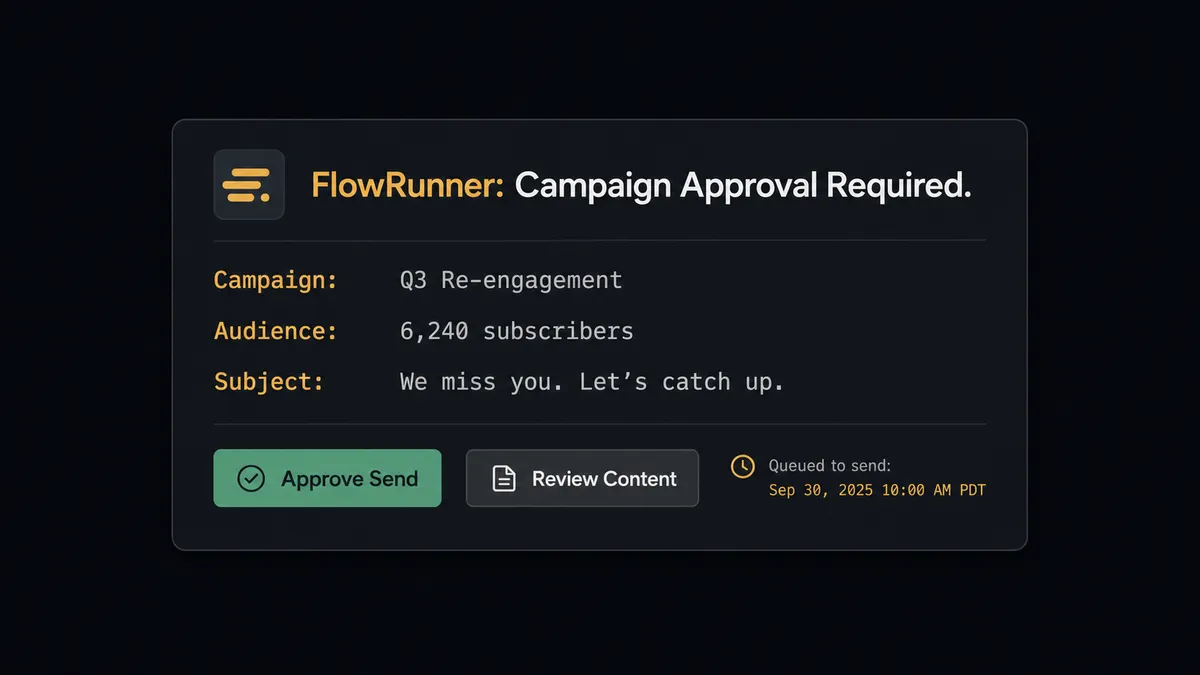
This is what prospects call a “digital andon cord.” The agent stops the line when it hits a step that carries real consequence. The automation does not just execute. It knows when to ask.
FlowRunner vs the tool you’re probably comparing
If you built this connection on Zapier, you have a trigger-action rule. That rule does the same thing every time regardless of what the intake form says or how large the send audience is. Adding a conditional branch requires Zapier’s Paths feature. Adding a human approval step requires a separate tool like Slack, wired together manually, with no native audit trail of who approved what and when.
Zapier is genuinely good at connecting two tools quickly for a single-path rule. It has a large library, a fast setup experience, and broad ecosystem support. For this specific use case, here is where the comparison lands:
| Feature | Zapier | FlowRunner |
|---|---|---|
| Basic trigger-action connection | Yes, fast to set up | Yes, same speed |
| Native human approval step | Not native (requires manual Slack wiring) | Native callable tool; agent invokes it by judgment |
| AI agent with context-aware routing | Not available | Yes; agent reads intake data and decides |
| Audit trail of approvals | No | Yes; reviewer identity and timestamp captured |
| Unlimited users on every tier | No (seat-based pricing) | Yes |
| Bring your own AI keys | No | Yes (BYOK model) |
Before and after
| Category | Before | After |
|---|---|---|
| New client to Mailchimp | Manual export after hours of bookings accumulate | Subscriber added or updated the moment On New Appointment fires |
| Email sequence assignment | Whoever does the import decides the tag; inconsistent timing | Booking type maps to tag automatically at booking; no interpretation required |
| Intake review | Flagged intake noticed at appointment start, too late to adjust | Intake answers evaluated on arrival; flagged bookings held for review before confirmation |
| Campaign sends | Sent manually after list is pulled from Acuity and cross-checked | Agent sends automatically below threshold; routes for approval above it |
| Subscriber notes | No booking context in Mailchimp | Appointment type and intake summary logged as a member note at booking |
| Audience accuracy | Reflects last manual sync, not today | Reflects the current Acuity calendar in real time |
What you can build
Appointment-type email journeys. When On New Appointment fires, the agent reads the appointment type, calls Add Or Update List Member, and applies the corresponding tag with Add Tag. A new consultation booking enrolls the client in a pre-appointment education sequence. A follow-up booking applies a different tag and routes to a post-appointment care sequence. Each appointment type drives a separate Mailchimp journey with no manual intervention.
Intake-gated onboarding. The agent reads intake form answers at booking. For clients with routine answers, it adds the subscriber and confirms the appointment automatically. For clients whose intake answers trip a review condition, it holds the booking for a staff member, waits for the decision, and only sends the confirmation and Mailchimp enrollment after the review clears.
Rescheduled appointment re-tagging. When a client reschedules, the agent calls Get Appointment to read the original booking, then Reschedule Appointment to move it. It then calls Remove Member Tag to pull the old appointment-type tag and Add Tag to apply the new one. The subscriber’s Mailchimp journey reflects the updated service, not the original booking.
Campaign send gate. When a workflow queues a campaign built with Add Campaign, the agent checks the audience size via Get Lists Info before calling Send Campaign. Below the configured threshold, it sends. Above it, it routes to the marketing manager for approval. One rule, applied consistently, on every campaign.
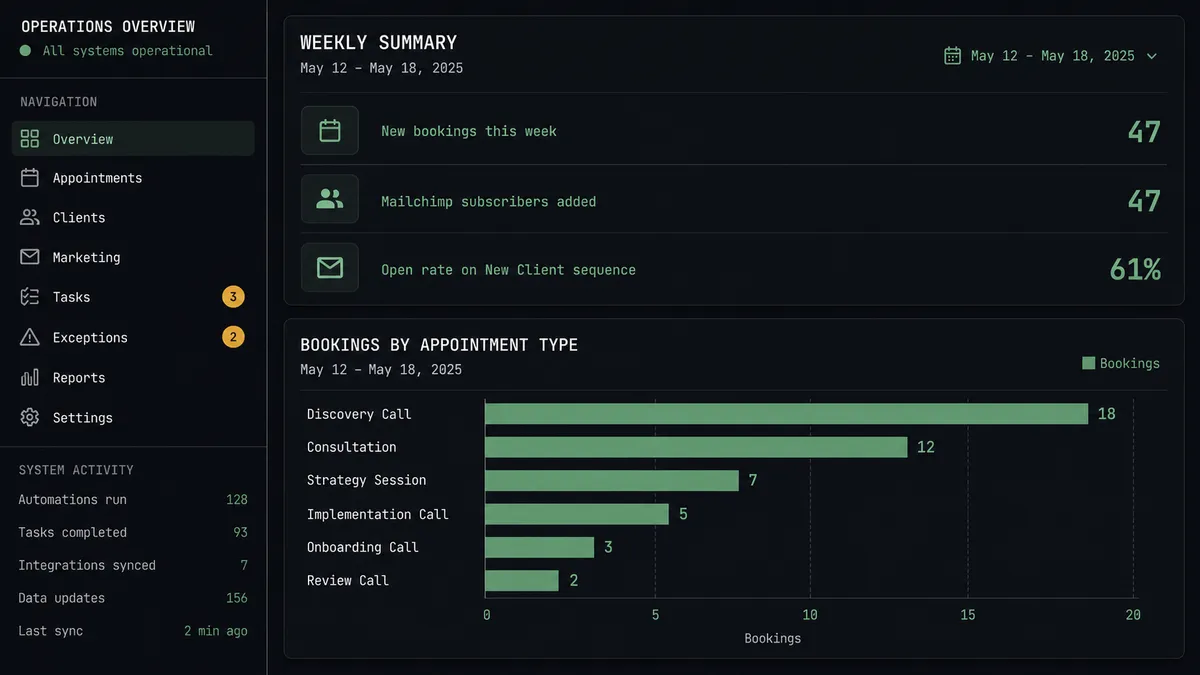
Weekly booking-to-engagement report. Every Monday, the agent calls List Appointments for the prior week to count bookings by appointment type, then calls Get Campaign Report for each active nurture campaign to pull open rates and click rates. It formats a single summary and posts it to the team channel. Marketing and operations see booking volume and email engagement in one place without pulling two separate reports.
Getting started
FlowRunner has a free plan with 100 executions a month, every integration included, and no credit card required, and new accounts get 14 days of Professional on top. Every plan includes unlimited users and unlimited workflows.
Both connectors are ready to use:
Start building at flowrunner.ai or book a 30-minute walkthrough at calendly.com/flowrunner/intro.
Frequently asked questions
Is it free to connect Acuity Scheduling and Mailchimp Marketing on FlowRunner?
FlowRunner has a free plan with 100 executions a month, every integration included, and no credit card required, and new accounts get 14 days of Professional on top. The Growth plan is $45 per month and includes unlimited users, unlimited workflows, and full access to both the Acuity Scheduling and Mailchimp Marketing connectors.
Can I self-host the Acuity Scheduling and Mailchimp Marketing connection?
Yes. FlowRunner offers a self-hosted Community Edition at no cost and an Enterprise self-hosted option with multi-instance clustering and a full compliance suite. Both include the same connector library as the cloud-hosted tiers.
Does the AI agent need my own API keys for Acuity and Mailchimp?
Yes. FlowRunner uses a bring-your-own-keys model. You connect your Acuity account with its User ID and API Key, and your Mailchimp account with its API key. Your credentials stay in your environment and are never shared with FlowRunner's AI providers.
What happens when the agent is not sure whether to subscribe someone or send a campaign?
The agent evaluates the context and invokes a human-in-loop flow as a callable tool. It pauses execution, sends the relevant details to a designated reviewer via Slack, email, or another channel, and resumes only after the reviewer decides. The decision, the reviewer's identity, and the timestamp are all captured in the audit trail.
Can I tag Mailchimp subscribers based on what they booked in Acuity?
Yes. When On New Appointment fires, the agent reads the appointment type and intake form answers, then calls Add Tag in Mailchimp to apply the relevant segment tag before enrolling the subscriber in the matching email sequence.
What if a client already exists in Mailchimp when a new Acuity booking arrives?
The agent calls Add Or Update List Member, which checks for an existing subscriber and updates if found, creates if not. The same action handles both new and returning clients without duplicating records.