How to Connect YouTube with Google Sheets (With or Without an AI Agent)
Connect YouTube to Google Sheets so every new video, comment, or subscriber event is logged automatically, and run it as an AI agent with a human on the steps that reach your audience.
How do you connect YouTube to Google Sheets?
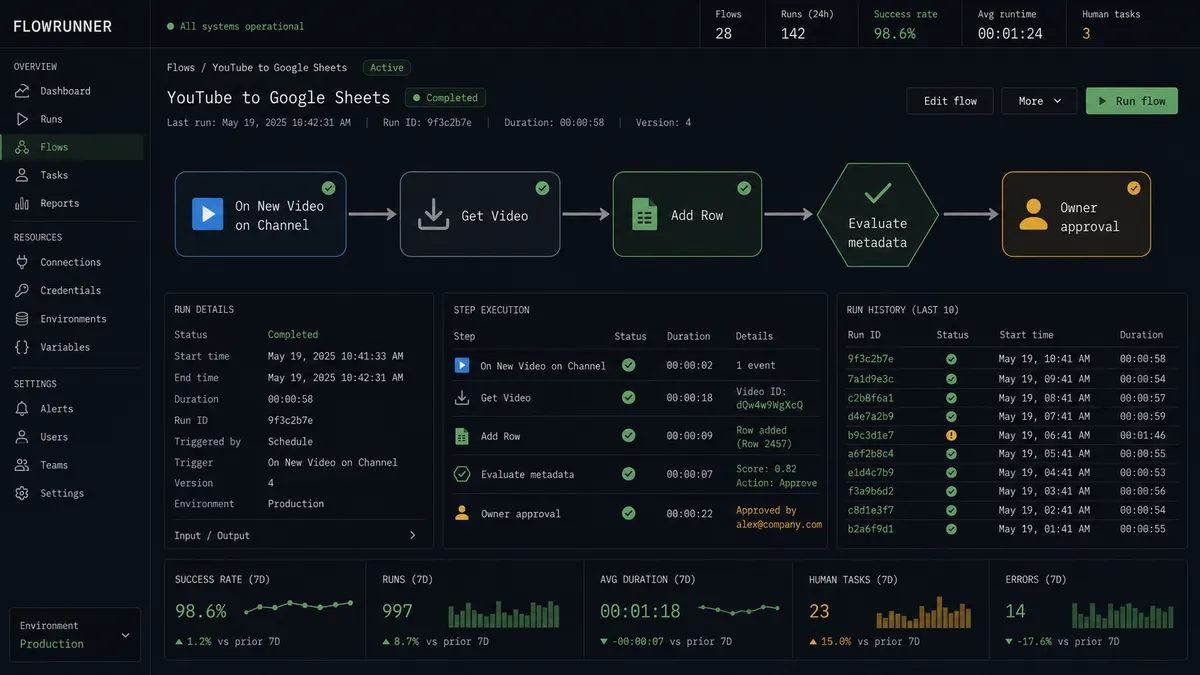
Set a trigger in FlowRunner using On New Video on Channel from the YouTube connector, then map the video metadata to an Add Row action from Google Sheets. FlowRunner is a visual AI-agent orchestration platform where automations run autonomously and pause for human judgment on the steps that carry real consequence. The same connection can run as an AI agent that reads each video’s data, decides whether it is ready for an audience, and pauses for a channel owner before setting it public.
The manual process teams are running today
A content team’s YouTube-to-spreadsheet workflow usually lives in a series of tabs no one fully trusts. Someone exports the video list from Studio, copies it into a tracker, checks off what has captions and a thumbnail, adds a note when the video goes live. A different person pulls the analytics on Friday and pastes the numbers into a separate report sheet. Comments that need a response get flagged in a third tab, manually, when someone has the time.
The breakage points are predictable. Videos slip between uploads and the tracker. Analytics sit stale until the next export. A comment thread that needed a reply three days ago now has replies from viewers filling the gap. The ops lead spends time chasing the status of things that should update themselves. The spreadsheet is supposed to be the record of truth, and instead it is a record of the last time someone had time to update it.
How it works: the connection
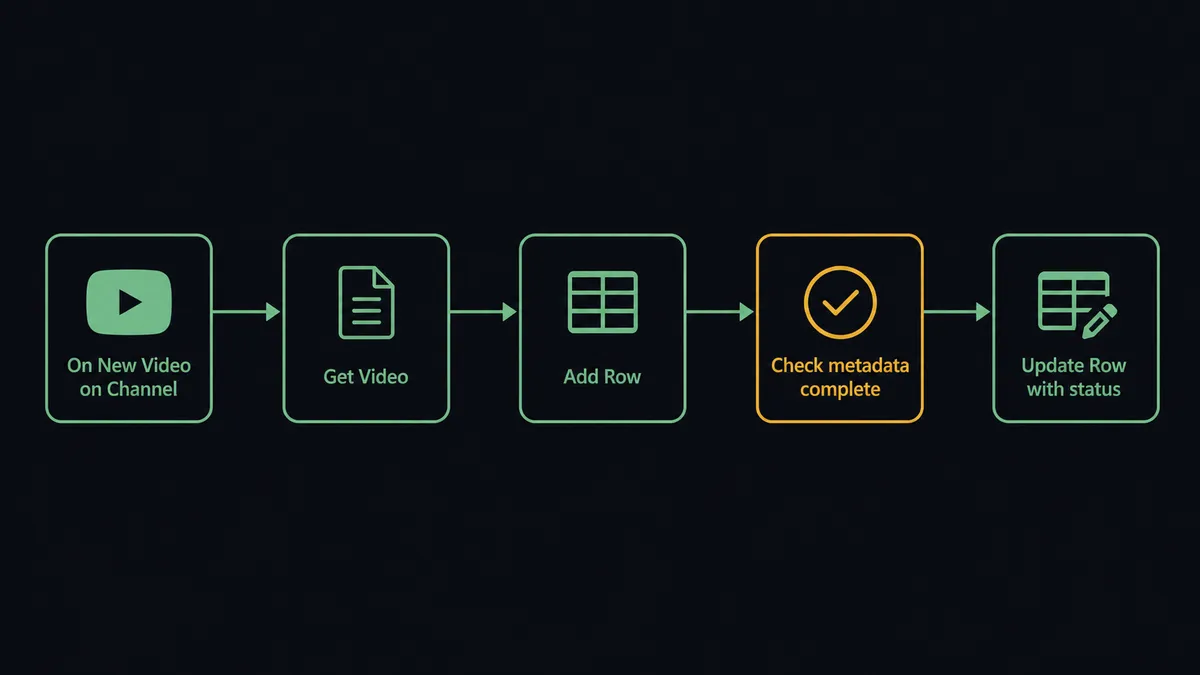
The On New Video on Channel (polling) trigger fires as soon as FlowRunner detects a new upload on the watched channel. The agent calls Get Video to read the video’s title, description, tags, visibility, and thumbnail status. It maps those fields directly to the columns in the tracking sheet using Add Row.
From there the flow branches based on what the agent finds. A video with captions uploaded, thumbnail set, and description populated gets a row in the sheet marked ready for review. A video with missing metadata gets a row flagged for follow-up, and the agent calls Format Row to highlight the exception visually so it stands out in the sheet. The agent also calls Get Video Analytics on a schedule to pull view counts, watch time, and traffic sources, then calls Update Row to write those numbers back to the matching row. The sheet stays current without anyone touching it.
For comment logging, the On New Comment on Video (polling) trigger fires as comments arrive. The agent calls List Comment Threads to read the text, evaluates the sentiment, and appends the comment, its timestamp, and the agent’s sentiment assessment to a comments sheet using Add Row.
Can an AI agent run it? (and why a human stays in the loop)
A Zapier zap between YouTube and Google Sheets runs the same sequence every time a trigger fires. It does not read the data and decide. A FlowRunner agent reads the video record, reasons about what it finds, and picks tools from its toolbox based on the situation. That distinction matters most at the step where a video goes from private to public.
The agent’s instructions include the publishing checklist: captions present, custom thumbnail set via Set Video Thumbnail, description and tags complete per Update Video. When a video passes all checks, the agent logs it to the sheet and flags it as ready for review. When it does not pass, the agent logs the gap and holds. Neither path publishes the video automatically. The agent escalates because setting a video public is an act the audience sees, and that is a judgment call, not a script execution.
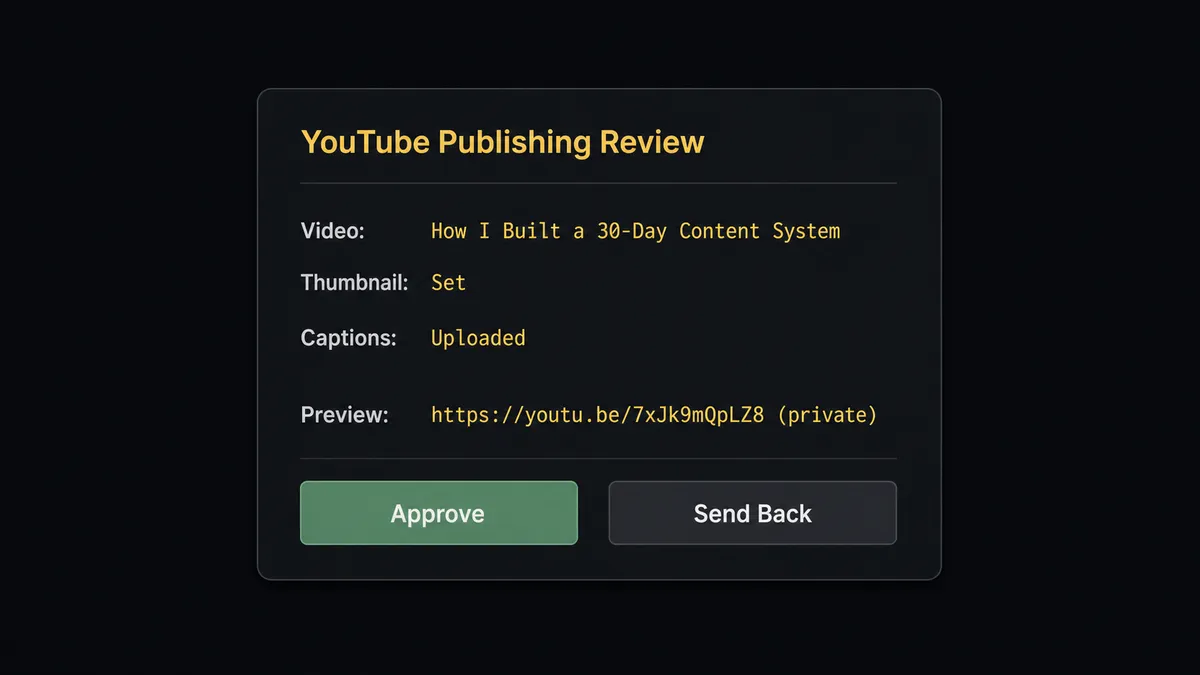
When the agent invokes the human-in-loop flow, it packages the private video link, the metadata summary, and the list of what it verified. The channel owner receives a Slack message with the preview link and two options: Approve or Send Back. On approval, the agent calls Update Video to set visibility to public, then calls Update Row to write the publish timestamp and status back to the tracking sheet. On Send Back, it logs the rejection reason and holds the video in private, flagging the row so the team knows it needs attention.
This is not a hardcoded rule (“if captions missing, escalate”). The agent evaluates the full record. A video with every field complete but a thumbnail that was set incorrectly and then overwritten three times might trigger escalation. A video the agent has seen this team publish dozens of times in this format might move through with fewer checks. The decision to involve a human is an AI decision, not a threshold.
Prospects call this pattern a digital andon cord: the line stops when the agent hits uncertainty, and a person makes the call. The agent is not a script executor. It is an intelligent decision-maker that knows when to ask.
FlowRunner vs Zapier
Zapier is the tool most content and ops teams reach for first when they want to connect YouTube and Google Sheets. It is the right call for simple, high-volume trigger-to-action sequences. Easy to set up, reliable, and it has both connectors.
The gaps show up at the edges. Zapier runs a fixed path. It does not read the data and reason about it. It cannot pause and ask a human based on what the agent found. And on a content team with multiple people who all need to see the same flows, the per-seat pricing adds up.
| Feature | Zapier | FlowRunner |
|---|---|---|
| YouTube and Google Sheets connectors | Yes | Yes |
| AI agent decision-making on each record | No | Yes, native |
| Human-in-loop on consequential steps | No | Yes, agent invokes it as a tool |
| Users included on every tier | Per-seat pricing | Unlimited on all tiers |
| BYOK for AI providers | No | Yes |
| Self-hosted option | No | Yes (Community Edition free) |
Before and after
| Metric | Before | After |
|---|---|---|
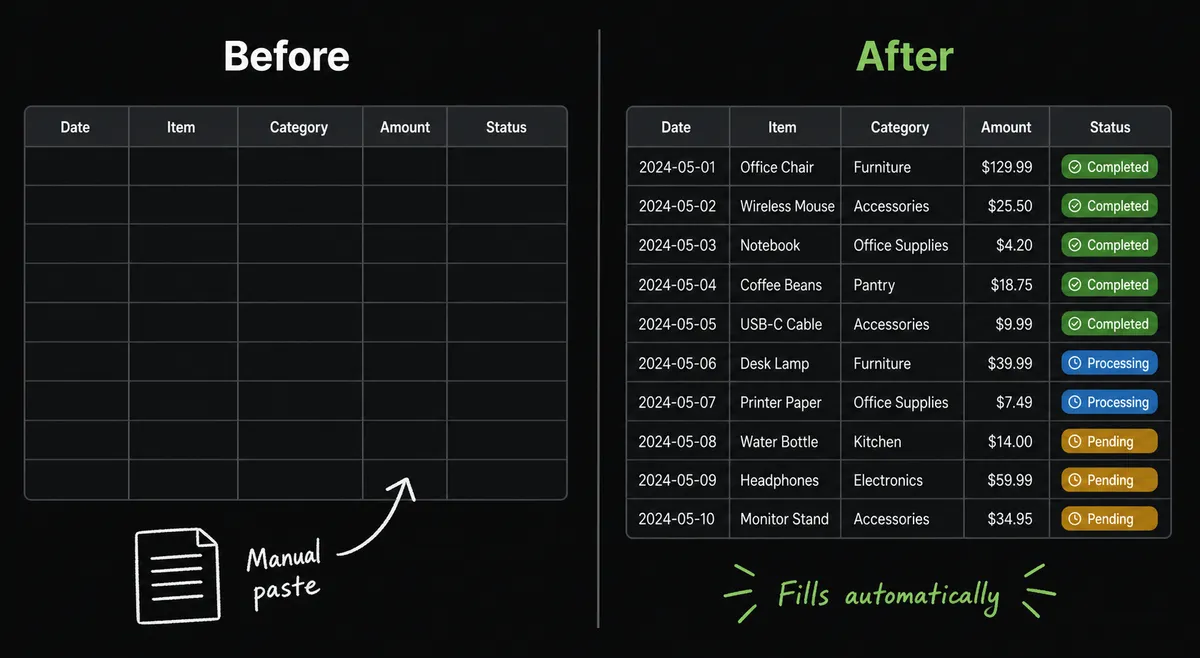
| Video tracking | Someone exports from Studio and pastes into the sheet after each upload | FlowRunner logs every video to the sheet automatically on upload |
| Publish gate | A person remembers to check the video and manually set it public | Agent verifies metadata, routes to owner for approval, sets public on response |
| Analytics updates | Analytics sheet is rebuilt manually when someone has time | Agent writes view counts and watch time back to the sheet on a schedule |
| Comment visibility | Comment threads checked reactively when someone finds time | New comments logged to a sheet with sentiment data as they arrive |
| Exception handling | Missing metadata or bad rows sit unnoticed until someone audits | Agent flags exceptions in the sheet and routes to the right person immediately |
What you can build
Automated video performance tracker. Every time a new video goes live, the agent calls Get Video Analytics and Get Video to read the title, publish date, and initial metrics, then calls Add Row to log a complete video record. On a weekly schedule it calls Get Channel Time Series and Update Row to refresh view counts and watch time without anyone opening a spreadsheet.
Comment triage and response log. The On New Comment on Video (polling) trigger fires on each new comment. The agent evaluates sentiment, calls Add Row to log the text, timestamp, and assessment, and drafts a reply. Replies route through a human approval step before the agent calls Post Comment Reply. Moderation actions like Set Comment Moderation Status and Mark Comments as Spam run only after a person confirms.
Publishing pipeline with a human gate. The agent calls Upload Video to push a finished file as a private draft, then Set Video Thumbnail and Update Video to wire up the metadata. It logs the draft to the sheet and sends the owner a Slack approval with the preview link. On approval it calls Update Video to set visibility to public and Update Row to record the outcome.
Subscriber milestone logger. The On New Subscriber (polling) trigger fires on each new subscriber. The agent calls Add Row to log the subscriber count and date, building a running record the team can use to track growth without any manual exports.
Scheduled analytics report. On a fixed schedule, the agent calls Get Top Videos and Get Channel Overview, appends the data to a reporting sheet, and calls Export Sheet to generate a file. The returned URL goes to the team as a report attachment, so the weekly number arrives without anyone opening Studio or the spreadsheet.
Getting started
FlowRunner has a free plan with 100 executions a month, every integration included, and no credit card required, and new accounts get 14 days of Professional on top. Any real email address works; disposable domains are not accepted.
Connect both integrations first: YouTube and Google Sheets. The connector pages list the full set of actions and triggers available to your agent.
Start the trial at flowrunner.ai. If you want to walk through a publishing pipeline or analytics workflow before building it yourself, book a call at calendly.com/flowrunner/intro.
Frequently asked questions
Is it free to connect YouTube and Google Sheets on FlowRunner?
FlowRunner has a free plan with 100 executions a month, every integration included, and no credit card required, and new accounts get 14 days of Professional on top. Beyond the free plan, Growth is $45 per month. All tiers include unlimited users and workflows.
Can I self-host this connection?
Yes. FlowRunner offers a self-hosted Community Edition at no cost for a single instance. The Enterprise self-hosted tier adds multi-instance clustering and the full compliance suite.
Does the AI agent need my own OpenAI or Google API key?
FlowRunner uses a BYOK (Bring Your Own Keys) model, so you connect your preferred AI provider directly. The YouTube and Google Sheets connectors authenticate via OAuth 2.0 and OAuth2 respectively. No third-party AI key is required to run basic automations.
What happens when the agent is not sure about a video upload or a row of data?
The agent invokes a human-in-loop flow as a callable tool. It pauses execution, packages the relevant context, and routes to the right person via Slack, email, or WhatsApp. The workflow resumes the moment the person responds.
How is this different from a Zapier zap between YouTube and Google Sheets?
Zapier executes a fixed sequence every time a trigger fires. A FlowRunner agent reads the data, reasons about it, and decides which actions to take and in what order. It can also pause for human judgment on consequential steps. Zapier does not have native AI decision-making or human-in-loop orchestration.
Can FlowRunner log comments and analytics, not just video uploads?
Yes. The YouTube connector exposes comment threads, subscriber events, analytics time series, and reporting jobs as agent tools. The agent can log any of these to Google Sheets on a trigger or schedule.