How to Connect HubSpot with Slack Using FlowRunner
Route inbound leads to your CRM in seconds, catch duplicates before they multiply, and give your sales team deal updates where they already work.
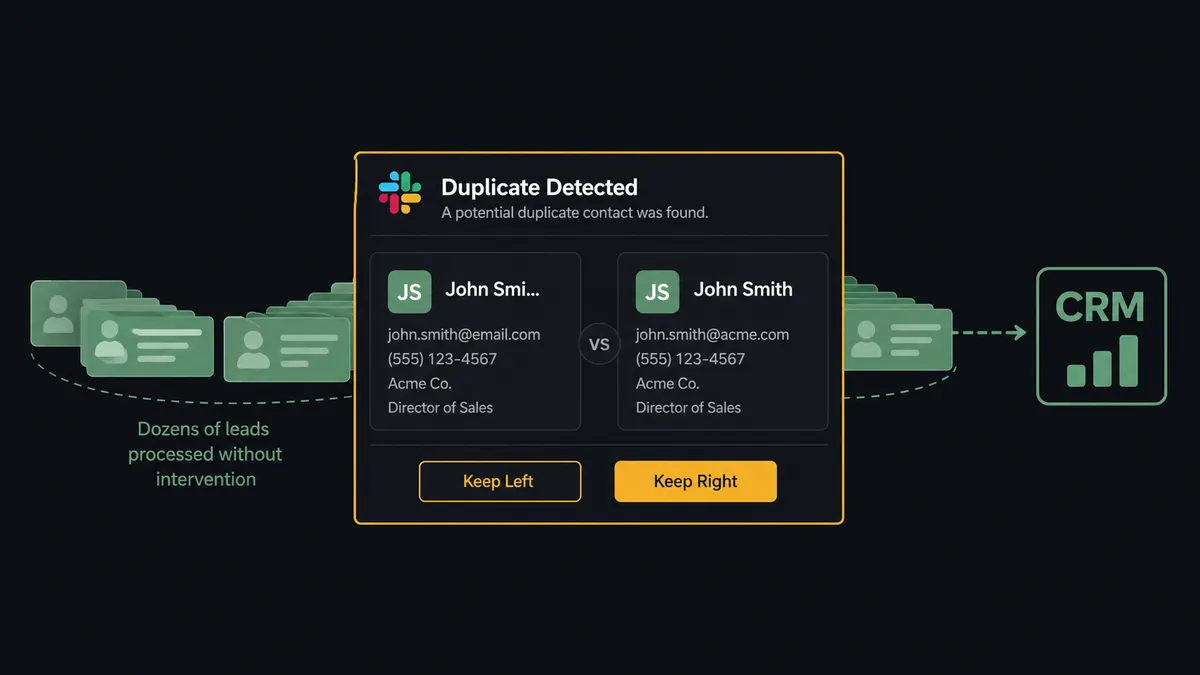
The Problem: Leads Come In, Then Get Lost in the Gap
A form submission hits your website. A prospect fills out every field. And then the lead sits in a queue because someone has to manually check HubSpot for an existing record, decide whether to create a new contact or update the old one, assign the right sales rep, create a deal, and notify the team. That process takes minutes per lead when it goes smoothly. When it does not go smoothly, the lead goes cold.
The duplicate problem compounds quietly. Without systematic deduplication, your CRM fills with multiple records for the same person. Different reps work the same account without knowing it. Pipeline reports show inflated numbers because the same opportunity appears under two contacts. Someone eventually notices, but by then the damage is done: conflicting notes, confused prospects, unreliable forecasting.
Then there is the visibility gap. A deal stalls at the proposal stage for two weeks. The rep does not update the CRM. The sales manager finds out in a Monday meeting, not when it mattered. By the time anyone intervenes, the prospect has moved on. Your team is reactive because the systems they rely on do not surface the right information at the right time to the right person.
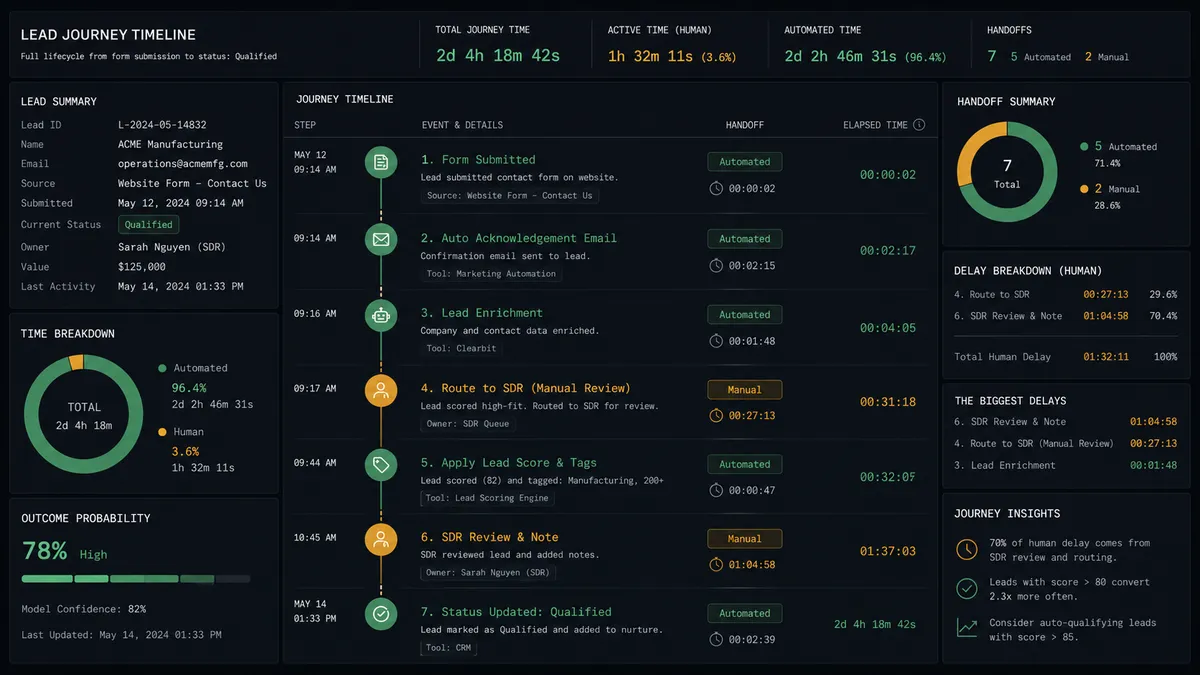
The Solution: Leads Routed, Duplicates Caught, Deals Tracked in One Flow
When HubSpot and Slack are connected through FlowRunner, the gap between “lead arrives” and “rep is working it” shrinks from minutes to seconds. The flow handles the lookup, the deduplication check, the contact creation, the deal creation, and the rep notification. Your team gets a Slack message with full context the moment a lead is ready to work.
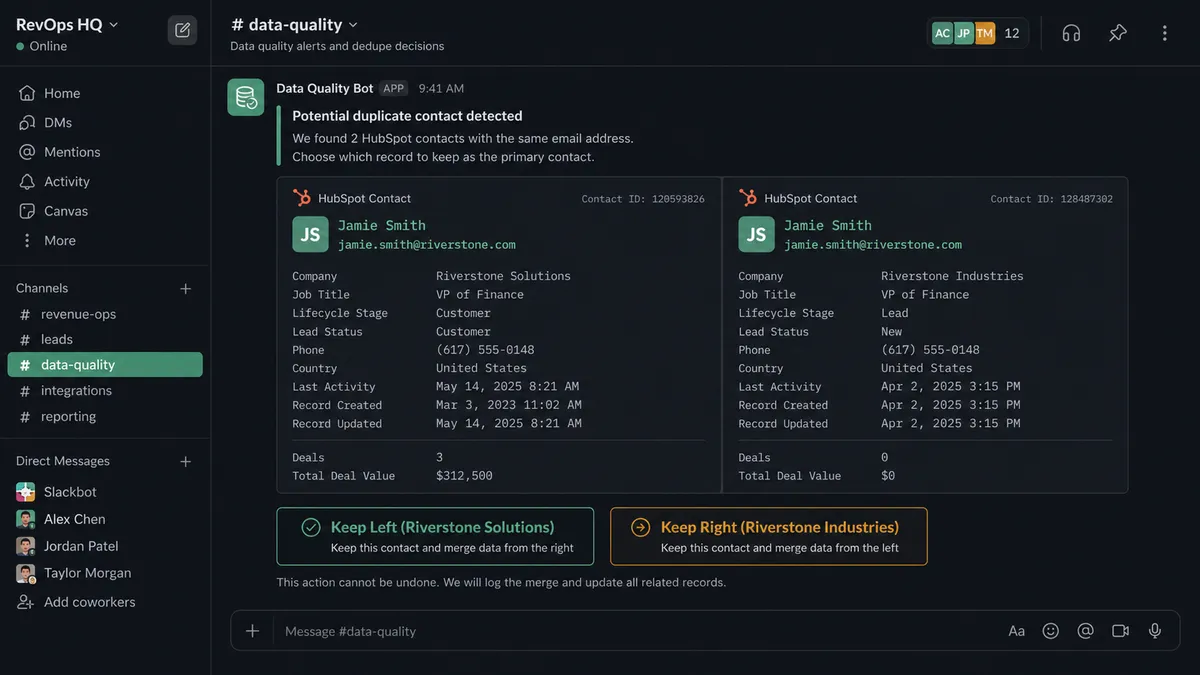
Duplicates do not slip through because the flow checks every inbound lead against existing records using Search Contacts and Get Contact by Email before creating anything. When a match is found, the workflow does not guess. It pauses, sends both records to your CRM admin in Slack with interactive buttons, and waits for a human decision. The right record survives. The duplicate never enters your pipeline.
Deal visibility moves from weekly meetings to real-time alerts. The workflow monitors deal stages, flags stalled opportunities, and posts updates to your sales channel. Your managers see problems when they happen, not after the damage is done.
Why Human-in-Loop Matters Here
CRM data quality is a judgment problem, not a data problem. Two contacts with the same email but different company names could be a job change, a typo, or a legitimate duplicate. An automated merge rule will get it wrong often enough to erode trust in the entire system. A notification-only approach sends an alert that gets buried in a channel full of other alerts. Neither gives your CRM admin what they need: both records side by side, full context, and a clear action to take.
FlowRunner treats that decision point as a callable tool within the workflow. When the flow detects a potential duplicate via Search Contacts, it stops. It sends a structured Slack message to the CRM admin with both records, the match criteria, and interactive buttons to choose which record to keep. On Block Action fires when the admin clicks, and the workflow resumes with the verified data. The decision is logged with the admin’s identity and timestamp. Your CRM stays clean because a human made the call, and the decision history shows it.
How It Works
Workflow 1: Inbound Lead Enrichment and Routing
This is the core workflow. A prospect submits a form on your website. The workflow takes over before anyone on your team needs to lift a finger.
- Trigger: Form submission webhook fires with the prospect’s name, email, company, and form responses
- Check: The flow calls Get Contact by Email to see if this person already exists in HubSpot
- Validate: If no existing record, the flow calls Create Contact with all form data mapped to HubSpot properties
- Action: The flow calls Create Deal linked to the new contact, with deal stage set based on the form type (demo request vs. content download vs. pricing inquiry)
- Route: The flow assigns the deal to the appropriate rep based on territory, deal size, or round-robin logic
- Notify: The flow calls Send Message to Channel to post to #new-leads with the prospect name, company, the action taken, the assigned rep, and the source.
- Direct: The flow calls Send Direct Message to the assigned rep with full context: company size, form responses, any existing HubSpot activity, and a link to the deal record
The lead is in HubSpot, the deal is created, and the rep has full context in Slack. End-to-end, the lead is ready to work in seconds, not minutes.
Workflow 2: Duplicate Contact Resolution
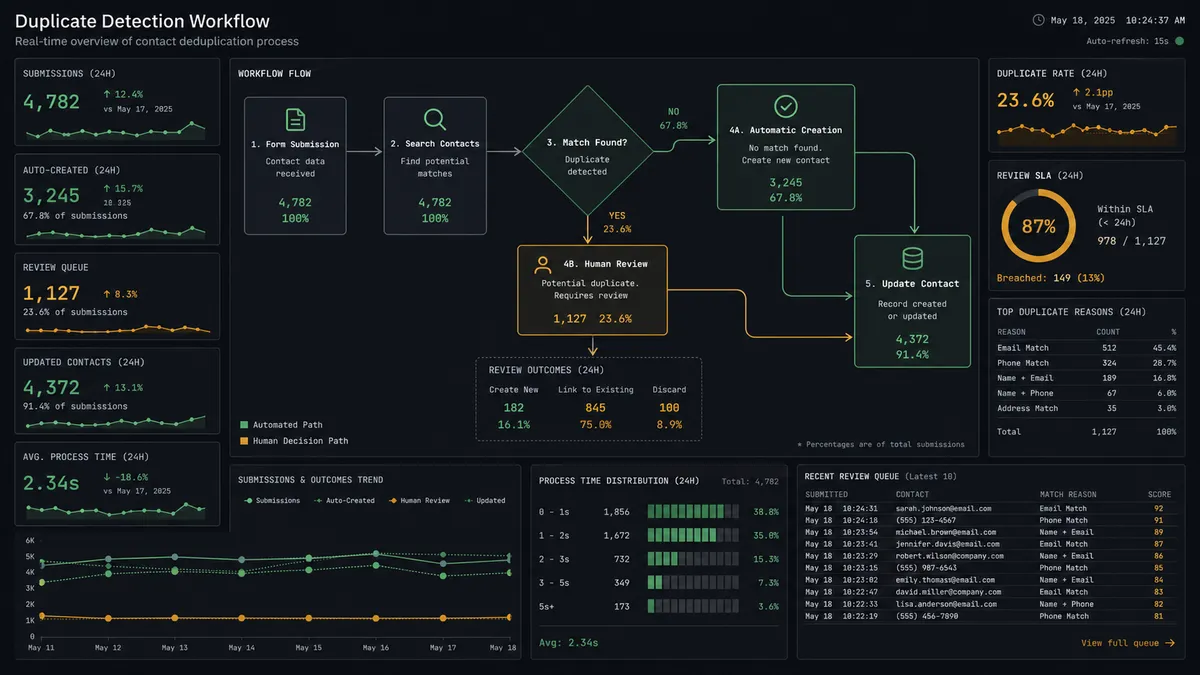
Duplicates are the most common CRM data quality problem. This workflow catches them at the point of entry and routes them to a human for resolution.
- Trigger: Form submission webhook fires with prospect data
- Check: The flow calls Search Contacts using email, phone, and company name to find potential matches
- Match: The flow calls Get Contact by ID on each potential match to pull full records for comparison
- Human: The flow pauses and calls Send Message to Channel to post to #crm-ops with both records side-by-side, the match criteria, and two buttons: Keep Existing and Keep New.
- Decision: On Block Action fires when the CRM admin clicks. If Keep Existing, the flow calls Update Contact on the existing record with any new data from the form. If Keep New, the flow calls Create Contact and merges relevant history.
- Action: The flow calls Associate Objects to link the surviving contact to the correct company and deal records
- Notify: The flow calls Send Direct Message to the assigned rep with the resolved record, the chosen primary, and the linked deal.
No duplicate enters your pipeline. Every resolution is logged with who decided and when.
Workflow 3: Stalled Deal Escalation
Deals go quiet. Reps get busy. This workflow makes sure stalled opportunities surface before they are lost.
- Trigger: Scheduled check runs daily at 8 AM
- Query: The flow calls Get All Deals filtered by stage (Proposal, Negotiation) and last activity date
- Filter: Deals with no activity in 14 days are flagged
- Notify: For each stalled deal, the flow calls Send Direct Message to the deal owner with the deal name, stage, days since last activity, and a prompt to update or reply with next steps.
- Escalate: If the deal owner does not respond within 24 hours, the flow calls Send Message to Channel to post to #sales-leadership with the deal context, the days stalled, and the note that the owner has not responded.
- Action: The flow calls Update Deal to add a note documenting the escalation
Stalled deals surface at 14 days, not at the next pipeline review. Unresponsive reps get escalated automatically. Every notification and escalation is captured in the deal record.
Before and After
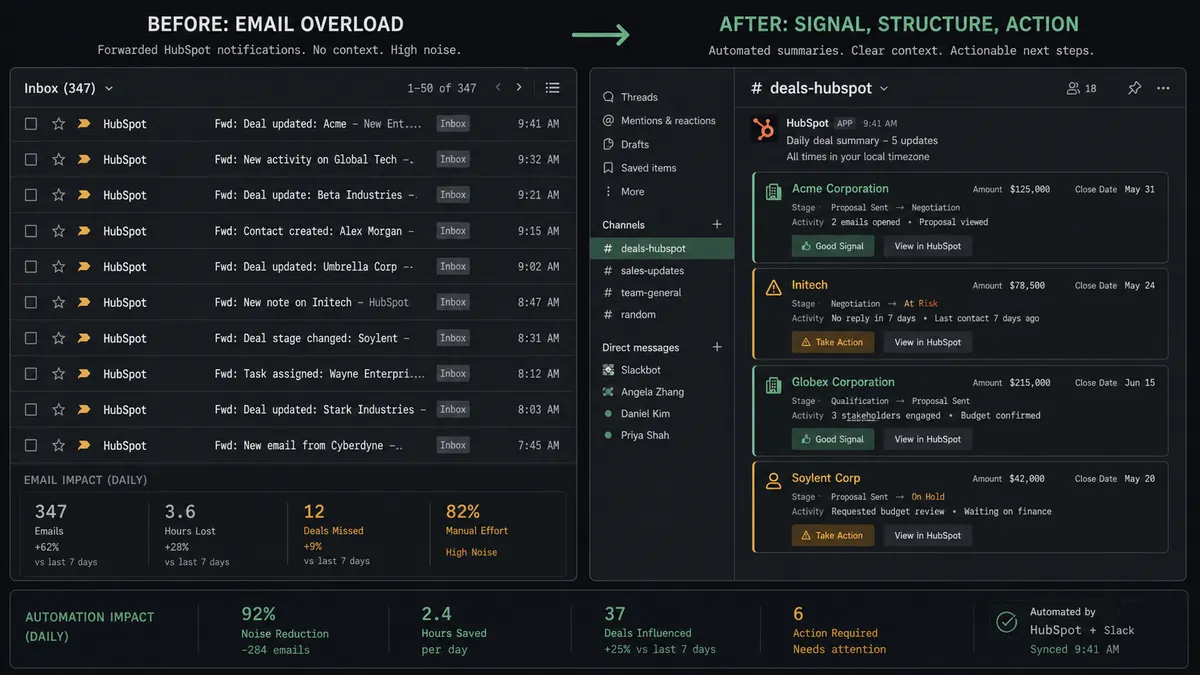
| Before | After | |
|---|---|---|
| Lead entry | Manual CRM entry after form submission. Rep copies data from email to HubSpot fields. | Lead in CRM in seconds. Contact, deal, and rep assignment handled by the workflow. |
| Duplicate records | Duplicates discovered weeks later during pipeline reviews or when two reps call the same prospect. | Deduplication on every inbound. The workflow checks Search Contacts and Get Contact by Email before creating any record. |
| Deal stage accuracy | Reps update deal stages manually, often days late. Pipeline reports reflect last week’s reality. | Activity updates the CRM automatically. Deal stages reflect current status. |
| Exception handling | Exceptions flagged via email threads. Context scattered across forwards and replies. | Real-time exception handoff. Slack message with full context and interactive buttons. On Block Action routes decisions back to the workflow. |
| Approval tracking | No structured approval. No record of who decided what or when. | Decision history is captured for every duplicate resolution, deal escalation, and exception approval: who chose what, when. |
What You Can Build
Combining HubSpot’s 21 actions with Slack’s interactive capabilities opens up workflows across your entire revenue operation.
Inbound lead routing with full context. Form submission triggers the flow to call Create Contact, Create Deal, and Associate Objects. The assigned rep gets a Send Direct Message with company details, form responses, and a direct link to the HubSpot record. No manual entry. No context lost in handoffs.
Interactive duplicate resolution. Search Contacts and Get Contact by Email catch matches before records are created. The CRM admin sees both records in Slack with interactive buttons. On Block Action routes their decision back to the workflow, which calls Update Contact or Delete Contact accordingly.
Stalled deal escalation chain. Get All Deals filtered by last activity date surfaces quiet opportunities. Send Direct Message notifies the rep. No response triggers Send Message to Channel to the sales manager. Update Deal logs every step. Deals do not go dark without someone knowing.
New company welcome sequence. When Create Company fires for a new account, the flow triggers an onboarding sequence and calls Send Message to Channel to post to #new-accounts with company details, assigned CSM, and first 30-day milestones.
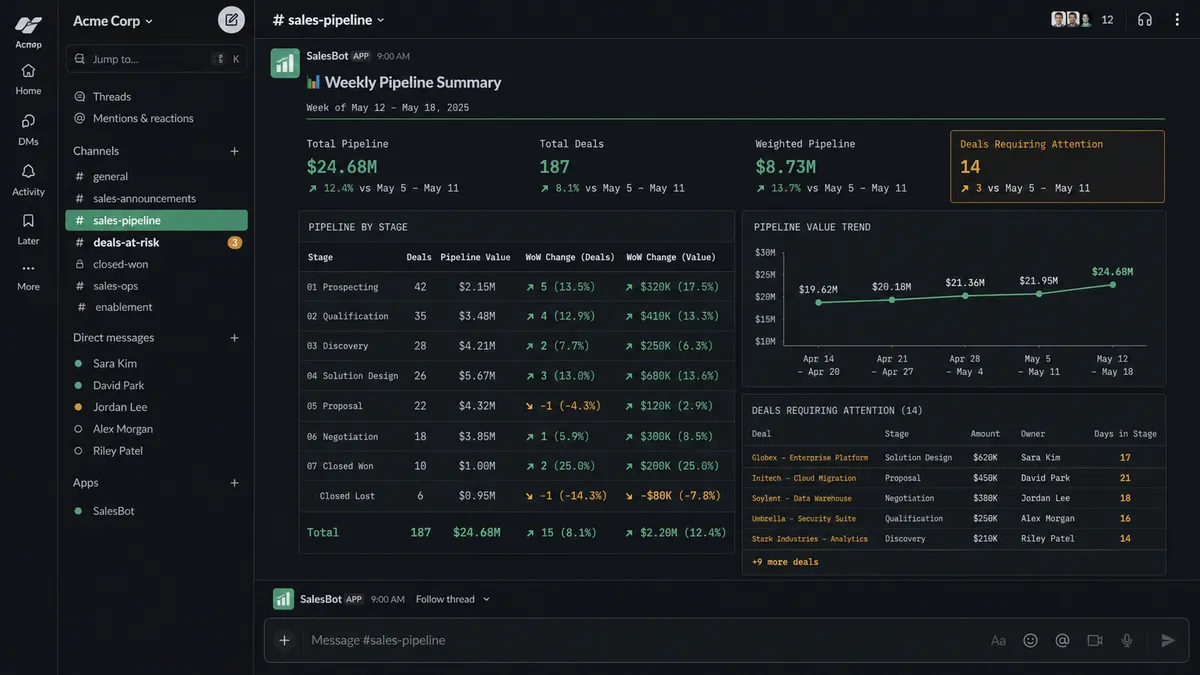
Weekly pipeline digest. The flow calls Get All Deals every Monday at 7 AM, groups by stage and owner, calculates week-over-week movement, and posts a formatted summary to #sales using Block Kit. Pipeline health in one glance, no spreadsheet assembly required.
Getting Started
Both HubSpot and Slack are available on every FlowRunner tier, starting at Growth ($45/mo, 12,000 executions). Every tier includes unlimited users and unlimited workflows, with full human-in-loop coordination.
Start on the free plan: 100 executions a month, every integration included, no credit card required, plus 14 days of Professional for new accounts. For teams that need decision history on their CRM workflows, Professional at $299/mo adds longer log history. Role-based access is available on Professional and above.
Connect HubSpot to give your workflows access to contacts, companies, and deals. Connect Slack to give your team interactive decision points where they already work. Build the workflow that connects them in minutes.
Start building free or book a demo to see it in action.