Salesforce Leads vs Opportunities: The Conversion Gate Is the Decision
Leads and Opportunities are different data models, and the conversion between them is the handoff that owns forecast accuracy. Most teams treat it as a click.
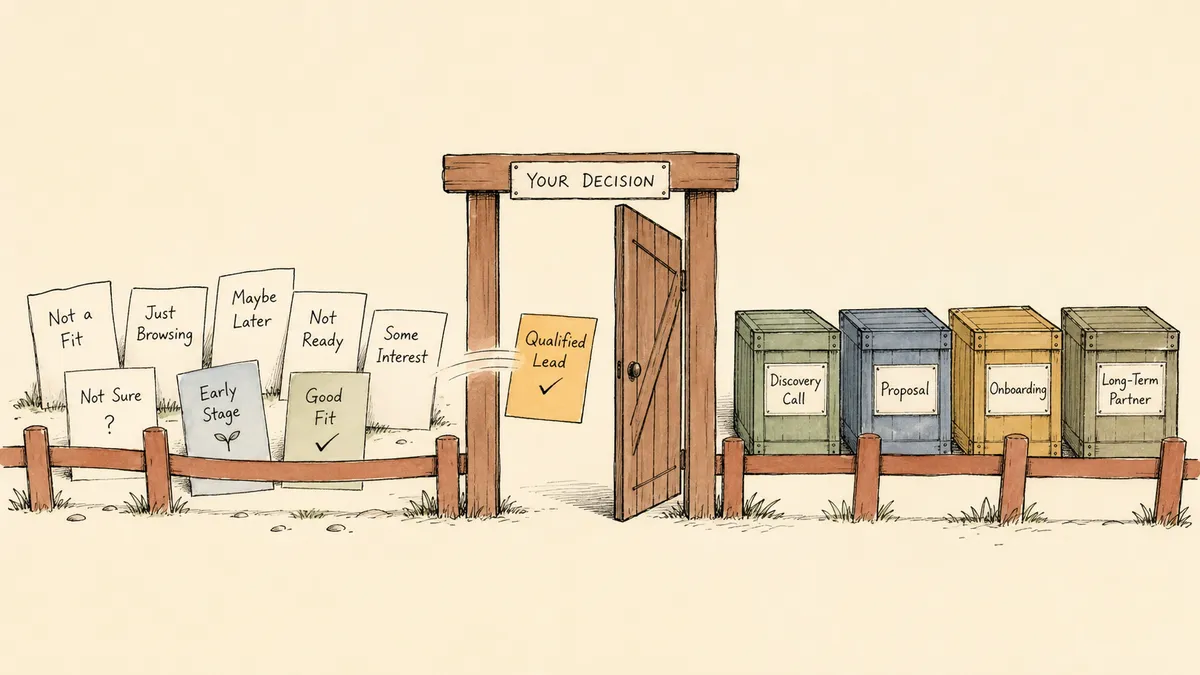
The Lead-to-Opportunity conversion is the single most consequential handoff a RevOps team controls, and the vast majority of Salesforce orgs treat it as a clerical click. Leads and Opportunities are not two stages of one record. They are two different data models with different ownership, different reporting roles, and different lifecycle rules. The moment a Lead converts is the moment forecast integrity starts or stops being real.
The shortest version, side by side:
| Lead | Opportunity | |
|---|---|---|
| Represents | Unqualified person or company | A specific deal |
| Linked to Account? | No (not until conversion) | Yes (always) |
| Used in forecast? | No (excluded by design) | Yes (forecast runs on these) |
| Has Stage, Amount, Close Date? | No | Yes (all required for pipeline) |
| Typical owner | SDR, marketing queue, or routing queue | AE or strategic account owner |
| Effect of conversion | Becomes read-only | Created (and linked to Account + Contact) |
That table is the easy part. The hard part is the moment the conversion fires.
What a Lead actually is
A Lead in Salesforce is a standalone standard object representing an unqualified person or company. It is not yet tied to an Account, a Contact, or an Opportunity. Lead, Account, Contact, and Opportunity behave as described in this article across the current Sales Cloud lineup (Starter, Pro Suite, Enterprise, Unlimited, Unlimited Plus, and Developer).
Standard Lead fields cover person-level data: Name, Company, Title, Email, Lead Source, Lead Status, and rating. They do not include a deal record, a stage, an amount, or a close date. That is deliberate. Leads exist outside the pipeline by design so unqualified inquiries do not inflate forecasts.
Lead Status is the field most teams use to track SDR work. Typical values look like:
- Open / Not Contacted: newly arrived, no SDR touch yet
- Working / Contacted: SDR is in active outreach
- Qualified: fits the qualification criteria and is ready to convert
- Unqualified / Disqualified: does not fit, removed from working pool
- Nurture: fit is plausible but timing is wrong
These map to SDR workflow stages. They do not map to pipeline. That is the first place a lot of orgs blur the line.
What an Opportunity actually is
An Opportunity is a deal record. It is tied to an Account and a primary Contact, and it carries a Stage, an Amount, and a Close Date. Opportunities are what Salesforce’s forecasting model runs on. Leads are excluded from forecast by design.
Opportunity Stage is a deal progression field, not a person qualification field. Typical values look like Prospecting, Qualification, Needs Analysis, Proposal, Negotiation, Closed Won, Closed Lost. The semantics belong to the AE, not the SDR. An Opportunity assumes the buying entity (the Account) is already identified, the primary buyer (the Contact) is already mapped, and a real deal exists worth tracking.
Two objects, two data models, two owners, two reporting roles. The boundary between them is the conversion event.
The conversion event and why it matters
When a Lead is converted in Salesforce, the platform creates up to three records:
- An Account, if a matching one does not already exist
- A Contact linked to that Account
- Optionally, an Opportunity linked to both
After conversion, the Lead record becomes read-only. It is not deleted. It still exists for audit and reporting on lead-to-conversion rate. It is just no longer surfaced in the active Lead views, and it cannot be edited.
That read-only behavior matters. Conversion is one-directional. There is no reversion path in standard Salesforce. Whatever data lived on the Lead at the moment of conversion is the data that gets propagated, and nothing else gets a second chance.
This is where the second silent failure lives. Custom Lead fields do not automatically map to Contact, Account, or Opportunity fields on conversion. A Salesforce administrator has to configure the field mapping explicitly. If the SDR captured budget signal in a custom Lead field, or scored fit in a custom Lead rating, or logged the disqualification reason in a custom text field, none of that survives conversion unless someone wired it through. Most orgs discover this after the first quarter of working data is already gone.
Conversion is the boundary between top-of-funnel hygiene and pipeline integrity. It is also a permission gate, a data migration, and a reporting reset, all firing on a single click.
Where RevOps teams get this wrong
Here is what most articles on this topic will not say plainly: defining Leads and Opportunities is the easy part. The decisions teams get wrong are operational, not definitional. The four most common failure modes:
- Treating Lead Status and Opportunity Stage as a single funnel. When a team builds a “Stage 1: New, Stage 2: Contacted, Stage 3: Qualified, Stage 4: Proposal” funnel that spans both objects, conversion rate becomes unreportable and SDR throughput gets entangled with AE pipeline math. The two fields exist precisely so the SDR and AE phases can be measured independently.
- Converting too early. A Lead with a vague interest becomes an Opportunity at Prospecting stage, the AE inherits a low-fit deal, the forecast inflates, and the eventual Closed Lost shows up in reporting as a pipeline failure rather than a qualification failure. The forecast lies. Everyone downstream pays for it.
- Converting too late. SDR keeps a real deal on the Lead record past the point the buying entity is identified. Activity gets logged on a record that will be read-only soon. Account-level engagement history fragments. Attribution breaks at the conversion point.
- Skipping field mapping. SDR-captured context (intent signals, disqualification reasons, custom scoring) is lost at conversion because no admin configured the field mapping. The Opportunity starts with less context than the Lead had.
Each of these is fixable. None are fixable by writing a better definitions page.
Designing the conversion gate as a deliberate qualification step
The conversion event deserves the same treatment as a stage-gate review. Not a single click, but a discrete moment with defined criteria and an explicit owner. Four building blocks:
- Define the qualification criteria that must be true before a Lead can convert. Fit (matches the ICP), intent (a real, current buying signal), identified buying entity (you know what Account this is). Write them down. Make them visible to the SDR before the convert button is even available.
- Use Lead Status to track SDR work, Opportunity Stage to track AE work, and document the handoff explicitly. The two fields are not interchangeable. The handoff is the moment they hand off.
- Configure Lead field mapping so SDR-captured context survives conversion. Custom rating, intent score, disqualification reason, source detail. If an SDR captured it, an AE should see it. Field mapping is admin work, not a feature request.
- Add a human review on conversion for high-value or strategic accounts. A manager checkpoint at the conversion moment costs nothing operationally and prevents the most expensive pipeline pollution. Let routine SMB leads convert without ceremony. Hold the strategic accounts.
The fourth point is where the standard “let any rep convert at will” pattern stops scaling. The conversion event is a permission boundary that most orgs leave wide open and then complain about forecast accuracy.
Where a workflow layer fits at the conversion boundary
The conversion gate is exactly the kind of decision the CRM cannot police on its own. The information a manager needs to make the call is scattered: fit signals from the SDR, intent signals from marketing, account history from the AE team, current rep workload from the operations dashboard. The decision has to happen at the moment the Lead is ready to convert, with all of that context attached, in the channel the manager actually works in. A record-triggered Flow can enforce CRM-side rules and call out to a small set of external endpoints, but assembling the cross-system manager-review context inline at the moment of conversion is not what Flow is for.
That seam is what an orchestration layer is for. The CRM owns the records. The orchestration layer owns the conversation that happens at the boundary between records, gathering context the native conversion event does not have and routing the decision to the right human before the read-only behavior locks the Lead. FlowRunner is built for that layer. The minimal pattern: a workflow watches for Leads crossing a qualification threshold, gathers fit and account context, posts a structured convert-or-reject request to a sales manager in Slack, and on approval calls the Salesforce Convert Lead to Contact action with the full context attached. The native conversion mechanics still run exactly as Salesforce documents them. What changes is that a human gate sits in front of the click, and the reasoning is captured on the Lead record before it goes read-only.
For the end-to-end implementation shape, see automate lead conversion in Salesforce with a manager approval step. The same architectural shape applies upstream: a workflow layer can qualify inbound leads before they enter the pipeline or route inbound leads with duplicate detection in whatever channel reps already work in. The CRM holds the records. The orchestration layer holds the work between records.
Edge cases and trade-offs worth naming
A few things this approach does not do, by design:
- It does not replace native Salesforce conversion mechanics. The platform’s conversion logic, the read-only behavior, and the Account-Contact-Opportunity record creation all happen exactly the way Salesforce documents them. The workflow layer adds a checkpoint in front of the click. It does not bypass the platform.
- It does not eliminate the field mapping admin work. If SDR-captured custom fields need to land on the Contact or Opportunity, an admin still configures the mapping in Salesforce. The workflow layer can capture context in Slack, but custom field propagation at the conversion moment is a Salesforce-side configuration.
- It is not a substitute for Lead Status discipline. If Lead Status is being used as a pipeline stage, the field mapping problem and the forecast pollution problem still exist. The workflow layer cannot fix a definitional confusion.
- A human review gate is not free. Adding a manager approval introduces latency. For high-velocity SMB inbound, the right answer is often to let the rule handle conversion at the SDR level and reserve the manager gate for strategic accounts above a defined threshold. Decide where the gate lives, and why.
- Reverting a conversion is still hard. Salesforce does not support a clean reversion. If a converted Lead turns out to be a mistake, the cleanup involves manually editing the created Account, Contact, and Opportunity records. The gate is worth it precisely because the reverse path is so expensive.
Where this fits
The conversion gate is one slice of a larger pattern. Inbound qualification, routing, post-create enrichment, SLA tracking, and the eventual handoff to AE all live in adjacent territory. A few useful adjacent reads:
- The full Salesforce integration shape inside FlowRunner: automate lead conversion in Salesforce with a manager approval step
- The upstream qualification problem (different CRM, same shape): qualify inbound leads before they enter the pipeline
- The routing-and-duplicate-detection problem on the other side of the conversion: route inbound leads with duplicate detection
The takeaway
Leads and Opportunities are two different data models with two different owners and two different reporting roles. The conversion event is the boundary, and it is a permission gate, a data migration, and a reporting reset all firing on a single click. Treat it as a deliberate qualification step with documented criteria, configured field mapping, and a human gate at the moments that warrant one. The cost of getting this right is a small amount of process design. The cost of getting it wrong shows up in the forecast for years.
Frequently asked questions
Can you unconvert a Lead in Salesforce?
Not natively. Once a Lead is converted, the platform makes it read-only and does not provide a reversion path. Cleaning up a mistaken conversion involves manually editing the created Account, Contact, and Opportunity records. This is why a manager gate in front of the conversion event is worth the small added latency.
Do custom Lead fields map automatically on conversion?
No. Salesforce does not propagate custom Lead fields to Contact, Account, or Opportunity records on conversion unless an administrator configures the field mapping in Setup. SDR-captured context (intent signals, custom scoring, disqualification reasons) is lost at conversion unless someone wired it through deliberately.
What happens to the Lead record after conversion?
It becomes read-only. The Lead is not deleted; it still exists for audit and reporting on lead-to-conversion rate, and it stays linked to the Account, Contact, and Opportunity it produced. It just no longer appears in the active Lead views, and it cannot be edited.